Openhall
A tool for turning an artist’s work into a walkable 3D exhibition.
Original Competition Version · IBM watsonx.ai · Llama vision + text models · TypeScript · Three.js · Static-site export
- Problem
- For art students and independent artists, a physical show costs hundreds to thousands of dollars, and the usual online fallbacks, an Instagram grid or a PDF portfolio, turn the work into a scrolling feed. Publishing a real online exhibition can mean learning a 3D editor or relying on a gallery platform’s hosting. Openhall aims to simplify creation while giving artists a site they can publish themselves.
- Process
- I designed the upload-to-export workflow and directed IBM Bob’s implementation. Claude Code and Codex helped review and verify the build, which used models hosted on IBM watsonx.ai.
- Result
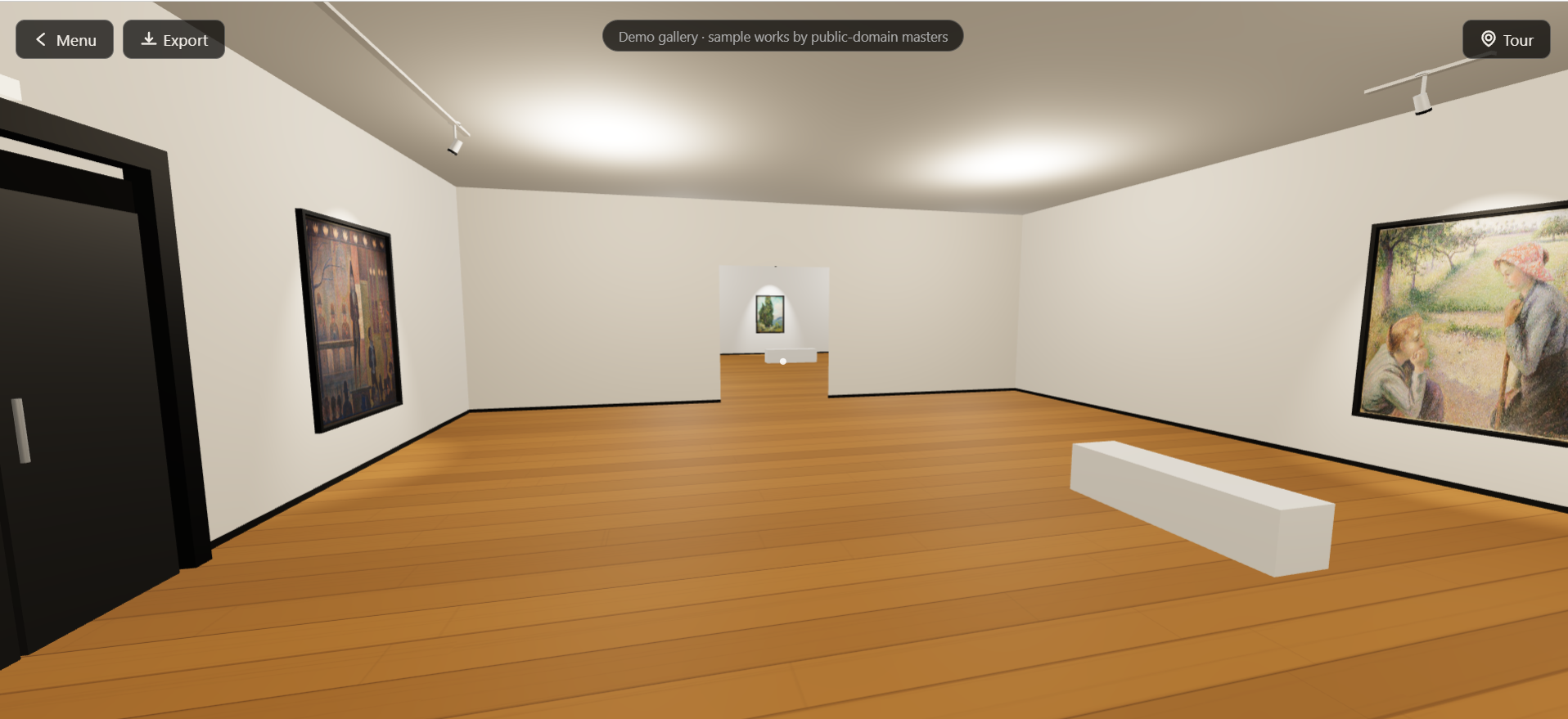
- The deployed prototype lets artists generate a walkable exhibition, review its text, and export a complete website without placing each artwork manually.
Room 1The Problem
Designing an exhibition around the artwork
Openhall began as my entry for the July 2026 AI Builders Challenge with IBM Bob, which focused on reimagining creative industries with AI.
Before Openhall, I built a 3D gallery for my own graphic design work. Most of the time went into adjusting details: the room style, lighting, reflections, the order and placement of the pieces, the decoration. That version has no guided tour, which would have been another large block of work. I started by asking how other graphic designers were making online 3D exhibitions, and the answers were a 3D editor or a platform.
For a portfolio or graduation show, choosing which works belong together and what visitors encounter first is already a curatorial task. I wanted artists to express that intent in a short brief and review a proposed arrangement, with control over where to publish the finished show.
Room 2The Show
From uploaded works to a finished gallery
Openhall accepts up to ten artwork images. The artist can supply titles and other details, write a short curatorial brief, and choose a visual preset.
The brief guides grouping and writing, while visual presets control materials, lighting, and proportions. Artists can describe their intent without specifying dimensions.
| Stage | What the artist or visitor can do |
|---|---|
| Upload and describe | Add artwork images, optional metadata, and a short brief describing the intended exhibition. |
| Generate | Receive a proposed arrangement, exhibition title, artwork labels, and tour narration. |
| Review | Keep, edit, or clear suggested artwork titles, revise labels, and update artwork details before entering the gallery. |
| Explore | Walk through the gallery on desktop, inspect individual works, or follow the guided tour. Touch visitors use tour mode. |
| Export | Download the viewer, artwork images, and exhibition data as a complete static website, with publishing instructions. |
An artist’s own title takes precedence over an AI suggestion. Review edits require no additional model requests.
An optional audio guide reads the narration using the browser’s speech synthesis. Text remains available throughout the tour, since voice availability and quality vary between browsers.
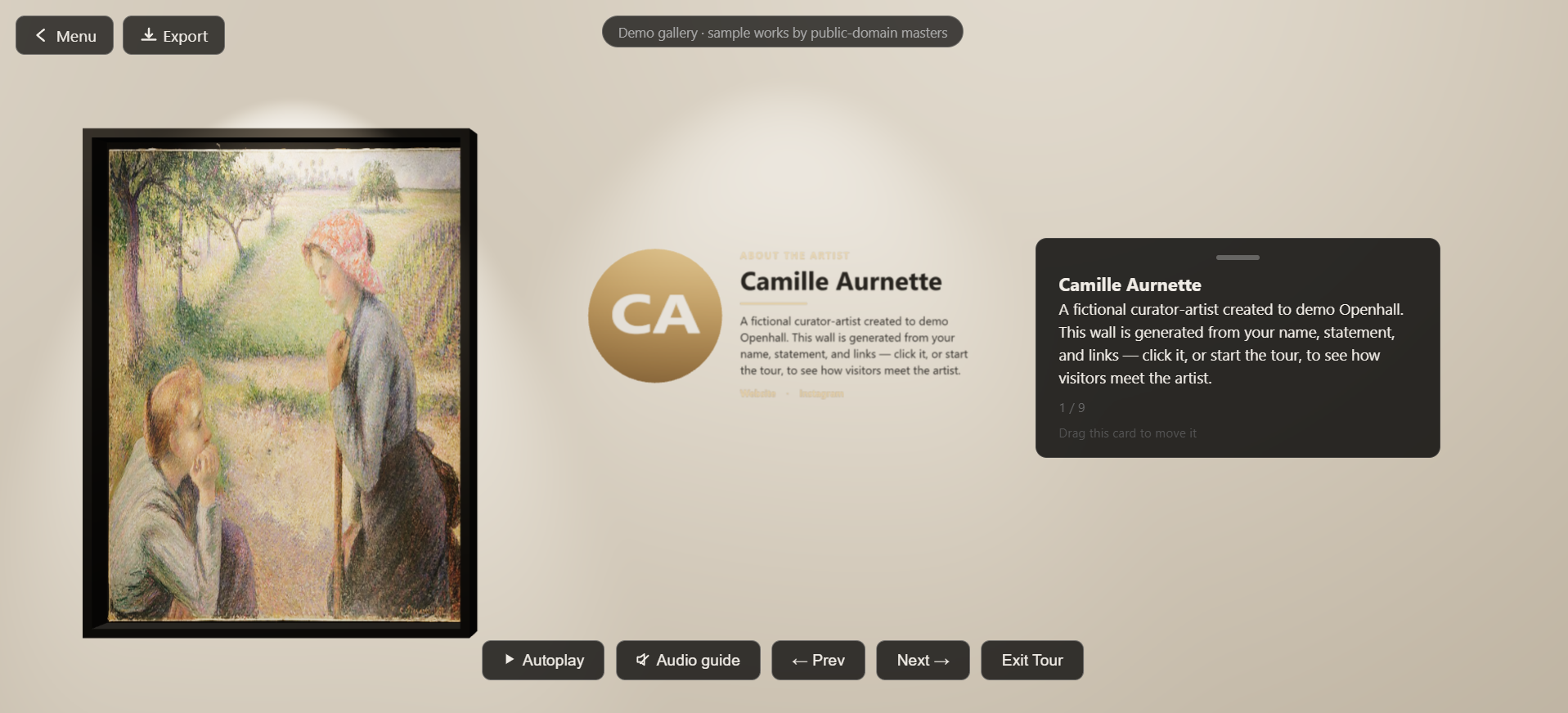
The public demo offers a prebuilt exhibition with prepared labels and narration that visitors can explore and export without an API key. Generating a gallery from new uploads requires the artist’s own provider credentials.
Watch the original video pitch
Room 3Collaboration
My role and AI collaboration
Openhall was built in collaboration with AI; the design decisions, content, and direction are mine.
Alongside the product concept, I set the visitor experience and visual presets, reviewed AI output, and approved what shipped. Walking through the galleries and listening to the tours helped me judge qualities that automated tests could not assess well.
I wrote work orders rather than code, and judged the results by walking through the galleries.
| Collaborator | Contribution |
|---|---|
| IBM Bob | Implemented the core architecture and features from written work orders, including the generation workflow, gallery viewer, and export functionality. |
| Claude Code | Helped prepare work orders, reviewed implementation, investigated live failures, and carried out acceptance checks and refinements. |
| Codex | Audited the implementation, addressed integration and security issues, and strengthened automated verification, including the export path. |
The repository includes the Bob work orders and session records for IBM Bob, Claude, and Codex.
Room 4Behind the Walls
How the original generation pipeline worked
The original watsonx.ai implementation used Llama 3.2 11B Vision to analyse individual artworks and Llama 3.3 70B for curation and writing.
Original competition version
-
Code
Prepare the uploads
The browser resizes the artwork images and collects the artist’s brief and settings.
-
AI · vision
Analyse each artwork
The vision model describes visual characteristics such as subject, palette, and mood. It also suggests a title when the artist has left one blank.
-
AI · language
Plan the exhibition
The text model proposes rooms, artwork groupings, wall assignments, and tour order. A separate request produces the exhibition title.
- Validate the curation plan before building the rooms.
-
Code
Build the space
Code calculates room dimensions, artwork coordinates, and doorways from the validated plan and selected preset.
-
AI · language
Write the interpretation
The text model produces labels and tour narration in smaller batches.
-
Artist · code
Review, display, and export
The artist reviews editable details before the Three.js viewer displays the exhibition. The exporter packages the finished gallery.
The validation rules check whether the plan refers to real artwork IDs, includes the required works, and follows the permitted room order. Invalid structured responses receive one retry with the errors included. If they still fail, the pipeline reports the problem.
Artists still need to review whether the generated interpretation suits their work.
Room 5Restoration Notes
Changes that came from failed generations
-
Breaking up an oversized response
Early versions asked the model to produce geometry and labels in a single gallery response. The output repeatedly hit the model’s length limit and stopped at the same point.
The revised pipeline moved geometry into code and split text into batches, reducing response size and making failures easier to locate. The gallery assembler development record documents this change.
-
Choosing a different model for curation
In a ten-artwork test, the original IBM Granite 3 8B text model struggled to keep artwork IDs consistent across room assignments, placements, and tour order.
After a switch to Llama 3.3 70B on watsonx.ai, the same failing scenario passed validation on the first attempt in two consecutive runs, as shown in the recorded verification. Subsequent generations still go through the validation checks.
-
Making the IBM integration work in a browser
IBM’s cross-origin restrictions blocked browser requests that worked in scripts. The original solution used a small, stateless Cloudflare Worker for token exchange and model requests; the hosted version later used a same-origin Vercel relay.
The debugging record traces the need for this relay.
Room 6Visitor’s Book
Making the export dependable
During development, unit tests passed while exported galleries still failed. Testing individual functions had missed problems in the package an artist would receive.
The expanded checks create a real export, unpack it, serve it, and open the viewer in Chromium. They check startup, missing assets, console errors, and unexpected external requests during startup. Separate checks confirm that the package excludes provider credentials.
Exported galleries run without Openhall’s generation service or the artist’s AI credentials.
The export implementation and browser smoke test are available in the repository.
What I would test next
Provider setup is still a significant step before someone can generate their own exhibition. The current gallery layouts are also limited to a chain of up to four rooms. Artists can edit details and regenerate, but cannot yet refine the exhibition conversationally.
I plan to observe artists or art students creating and publishing an exhibition without help, focusing on setup difficulties and how much they revise the proposed curation.
Explore Openhall
Visit the demo or read the project’s source and development records.